The MyPeople platform allows employees to be added, organised, and maintained so that performance reviews can be targeted and managed effectively. This section explains how employees are created, managed, and organised through roles, permissions, and lookups.
There are two ways to access/manage employee information: either through the main People menu at the top of the screen or via the ‘My Profile and Team’ area of your dashboard;
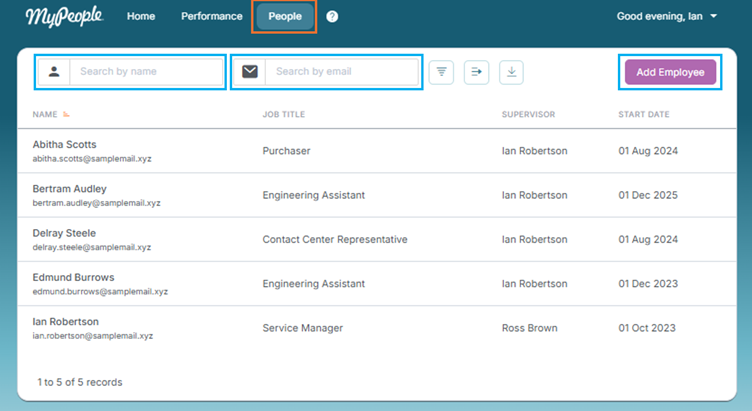
You can search for current employees by name or email. There are additional filters and detail columns which can be enabled by clicking on the icons to the right of the search bars. You can also download the employee list as a .csv file.
Adding Employees
Employees can be added to the system in two ways:
Bulk Upload (Admin Users Only): using a pre-formatted upload template for multiple employees. This is completed using the Upload function on the Admin page. Contact Support for the correct upload template.
Individual Wizard: adding one employee at a time through a guided form.
When adding employees, the following information is mandatory:
Full name
Email address
Employment start date
Role start date
Supervisor
User security role
The following information is optional:
Additional personal details (e.g. Date of birth, Gender, Nationality)
Additional employment details (e.g. Job title)
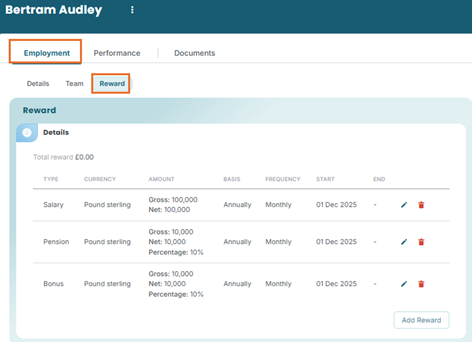
Salary details (including bonus and pension)
Adding an employee through the Add Employee wizard:
Bulk uploading employees:
xxxxx
Lookups (Custom Categories)
Each employee must be assigned values for the configured lookups.
Lookups are custom categories that allow organisations to group and filter employees (common examples of a lookup include department, team, and location).
Up to 10 lookups can be specified
Lookups can be used to target performance reviews at groups of people or for viewing aggregated reports (such as performance results). Most reports can be filtered or broken down by lookup categories. Filters and breakdowns can be combined (e.g., filter by department and then break down by team).
Lookups give organisations flexible ways to manage employees and compare and analyse results across groups.
Organisation Hierarchy
When supervisors and employees are entered, an organisation hierarchy is automatically created. This hierarchy defines reporting lines and informs:
Who can view/edit which records.
Who acts as the default reviewer in performance reviews.
By default, the supervisor is the employee’s reviewer, though another reviewer can be assigned if needed (this does not change who the supervisor is). Reviewer changes cannot be made once a review is in progress, though this functionality will be available in a future release.
Viewing/Editing Employee Details
Once employees are in the system, users with the correct permissions can update their details. Some information is restricted by the organisation’s hierarchy:
Employees: can only view their own sensitive information.
Managers: can view and manage records for employees in their reporting line. They cannot see sensitive information (e.g., salaries, performance history) for those above them or in other branches.
Administrators: can view and edit all records.
Target groups can also be used to limit administrative scope, e.g., a user may be an administrator for one department only.
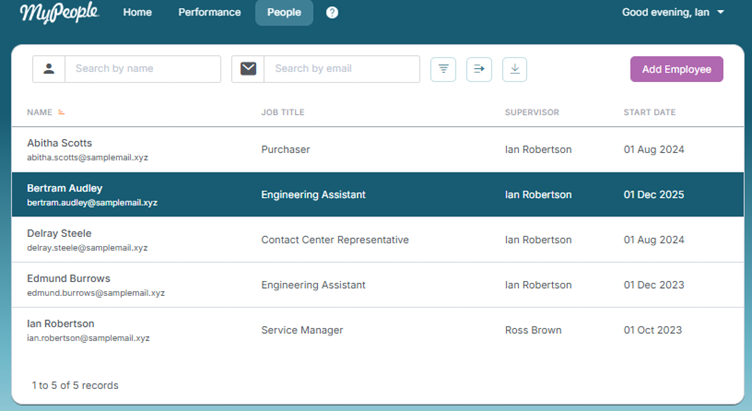
To view an employee's details, click on the team member's name from the list;
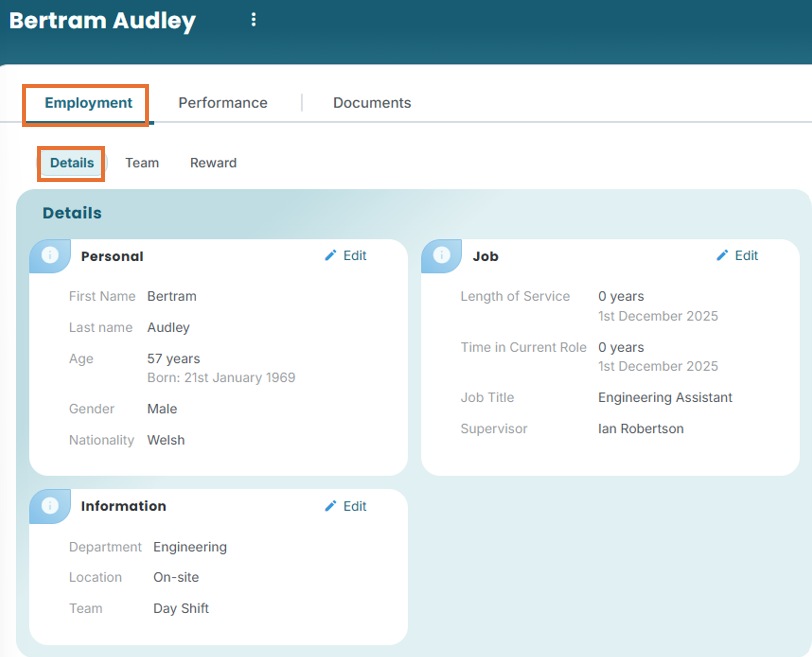
Within the Employment à 'Details' subtab, you can view and edit the employee's employment information.
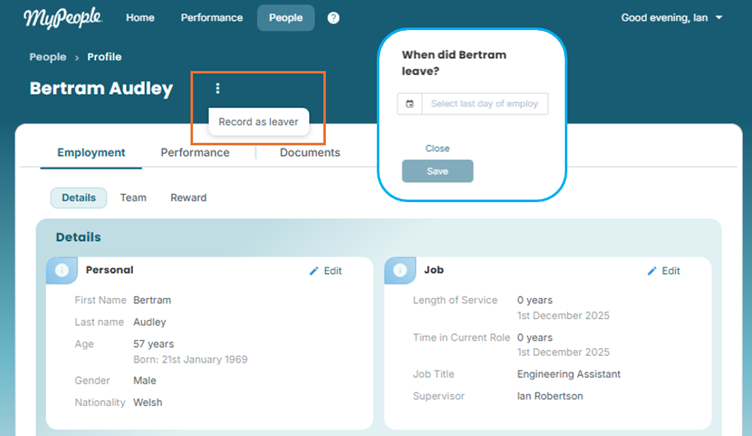
To record the employee as a ‘Leaver’, click on the three dots after their name, enter the date and click save.
Once the end date passes:
The account is automatically disabled.
The employee is removed from active target groups.
They are marked as a leaver in the system.
Past review results remain available in historical reports.
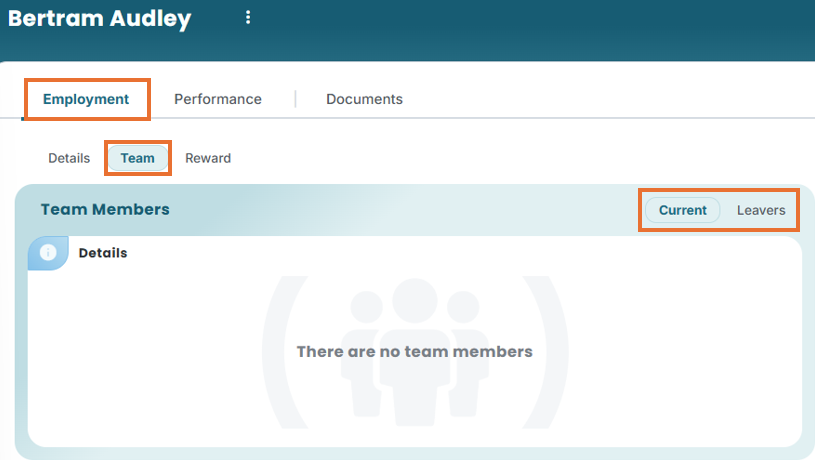
Click into ‘Team’ subtab, to see if your team member has or had any direct reports of their own
Click on the ‘Reward’ subtab to view and add reward details
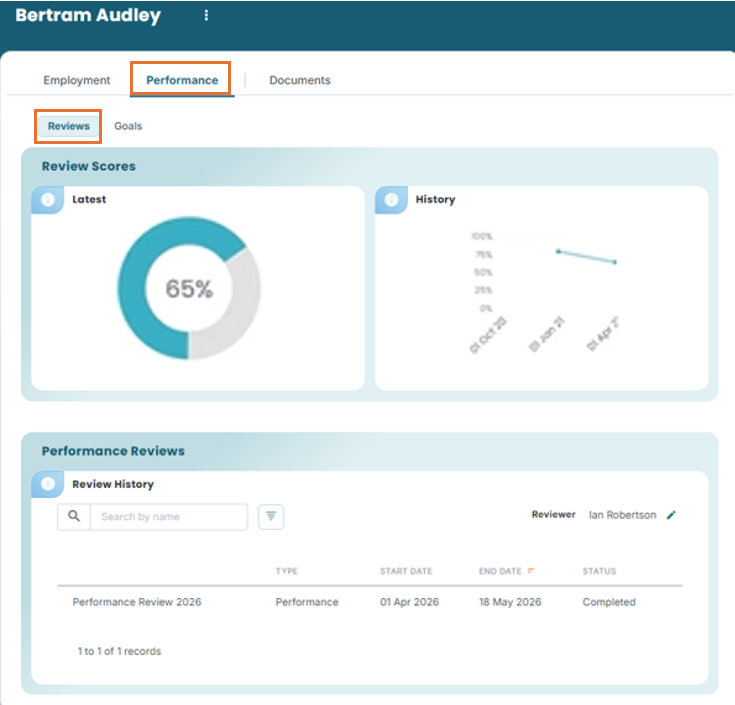
Performance tab – Reviews;
- Assess historical performance reviews
- See how the employees' performance is tracking over time
- Examine employees’ current goals, goal categories (grouped goals for reporting) & past goals
Goals Management
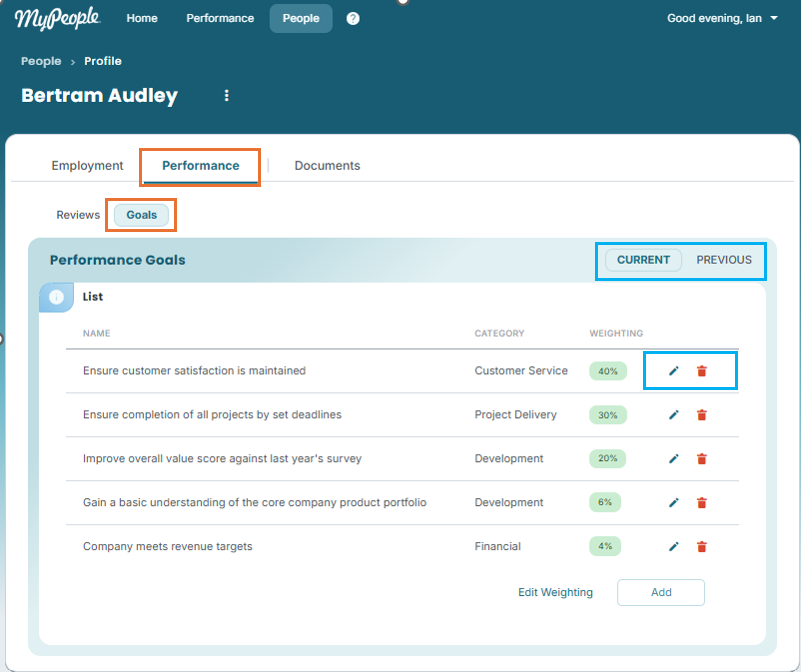
Each employee has a Goals section on their profile. Goals are used in reviews if the template includes a Goals section.
Goals can be added, edited, or deleted.
When adding a goal it is possible to choose the Goal Category and the weighting of the goal
Goal Categories are configured in the Admin pages and provide a means of grouping goals from multiple employees to get a sense of how they contribute to a higher level organisational goal
The weighting of an employee's goals can be configured so that some goals contribute more to the employee's goals score than others. The overall goal weighting percentage must total to 100%.
If a goal is deleted and has never been included in a review, it is fully removed.
If a goal has been included in a review, it is removed from the current list but preserved under Past Goals, where it is linked to the review and retains its score.
Goals cannot be edited while a review that includes them is in progress so it is important that all goals for the relevant employees are up to date at the time of the review going live.
This ensures reviews are consistent and historically accurate while still allowing flexibility to manage evolving goals.
Performance Reviewers
The Performance Reviewer for an employee is displayed on the employee's profile. By default, this will be the employee's line manager but it can be edited to be any other employee with manager permissions or above. The performance reviewer is the individual that the review for the employee will be sent to in Supervisor Only and Employee and Supervisor reviews.
Was this article helpful?
That’s Great!
Thank you for your feedback
Sorry! We couldn't be helpful
Thank you for your feedback
Feedback sent
We appreciate your effort and will try to fix the article